This website uses Cookies. Click Accept to agree to our website's cookie use as described in our Privacy Policy. Click Preferences to customize your cookie settings.

- The Google for Education Community Platform
- Primary and Secondary Education Communities
- ELP Admin Community
- Discussions
- Peer-Peer Topics
- Re: Authentication Errors on Many Third-Party Apps...
Options
- Subscribe to RSS Feed
- Mark Topic as New
- Mark Topic as Read
- Float this Topic for Current User
- Bookmark
- Subscribe
- Mute
- Printer Friendly Page

Options
- Mark as New
- Bookmark
- Subscribe
- Mute
- Subscribe to RSS Feed
- Permalink
- Report Inappropriate Content
08-31-2023 01:06 PM
We have suddenly been having a number of different 401 authentication errors in a number of applications that have been working for us for a long time. We utilize the KnowBe4 Phish Alert tool and AirTame 2 devices for digital signage. We have had third-party apps set to be not allowed for probably the past 2.5 years, and normally we approve things selectively by obtaining the client ID. None of these errors are limited to occuring onsite or on certain devices or browsers. They exist on school networks, mobile networks, iPhones, Android, Windows, and Chromebooks. We've contacted both Airtame and Knowbe4 separately and had numerous calls. We have chatted with Google support as well. Oddly enough, in the Airtame admin panel, I'm allowed to add an @gmail.com account, so I added my own personal gmail account to see if I could add a Google Slideshow the same way I would with our workspace domain accounts, and authentication didn't fail with my @gmail.com. However, it doesn't seem to matter with workspace account I have try this, they will receive a Google authentication error every time. Has anyone else experienced any strange issues with third-
Solved! Go to Solution.
Topics:
- Topics:
-
Marketplace Apps
1 ACCEPTED SOLUTION
Options
- Mark as New
- Bookmark
- Subscribe
- Mute
- Subscribe to RSS Feed
- Permalink
- Report Inappropriate Content
01-02-2024 06:50 AM
The solution to this was being certain that context-awareness settings were consistent for every allowed app. Many of them needed to call up something outside the US, and we didn't allow logins outside the US. Thus, the apps were being blocked.
Reply
8 REPLIES 8

Options
- Mark as New
- Bookmark
- Subscribe
- Mute
- Subscribe to RSS Feed
- Permalink
- Report Inappropriate Content
08-31-2023 11:47 PM
Interesting, but not heard of anything like this (yet, perhaps).
--
https://wheretofind.me/@NoSubstitute
https://wheretofind.me/@NoSubstitute
Options
- Mark as New
- Bookmark
- Subscribe
- Mute
- Subscribe to RSS Feed
- Permalink
- Report Inappropriate Content
09-05-2023 06:31 AM
It's definitely getting frustrating now. We're up to six tools we used to be able to use and cannot.
- KnowBe4 Phish Alert - 401 authenticate error cannot report phishing emails.
- Airtame - Cannot authenticate to load slides, but can authenticate to login.
- Pixton - Cannot authenticate to login "Failed to fetch user profile"
- Peardeck - Cannot authenticate to login
- Doodle.com - Cannot authenticate to login (502 Error -Cloudflare)
- Calendly - Cannot authenticate to login "Oops, something went wrong."
It has to be something on our end, but I cannot figure out what.
Options
- Mark as New
- Bookmark
- Subscribe
- Mute
- Subscribe to RSS Feed
- Permalink
- Report Inappropriate Content
09-05-2023 07:26 AM
Have you reached out to the listed services and made sure they haven't started using new client_ids?
On your own you can go to the Add App button and search for the named service, and see if their client_id is still matching the one you have allowed.
Oh, and don't forget to actually open your currently configured row, and verify that it is actually set to Trusted or Limited (depending on your setting of Google Services) for the OUs where your users are.
Remember that you may have set different access levels in different OUs.
Do NOT click the Change access button as that will not show you your current access level, only let you set a new access level.
--
https://wheretofind.me/@NoSubstitute
https://wheretofind.me/@NoSubstitute
Options
- Mark as New
- Bookmark
- Subscribe
- Mute
- Subscribe to RSS Feed
- Permalink
- Report Inappropriate Content
09-05-2023 11:22 AM
Thank you for these suggestions. I have reached out to KnowBe4 and Airtame. I've provided HAR files to both support teams and fiddler captures. I have gone over the Client_IDs, and I've set them to trusted.
This is a terrible idea, but I honestly went into allow ALL third-party apps for more than 24 hours to see if that would resolve the issue, and it didn't work for any of the apps on the list. Still receiving the same errors. Replying here because I went to the companies and escalated the cases, and I have cases open with Google about this, too. Google keeps on telling us its the third-party, but again @gmail.com accounts can authenticate just fine.
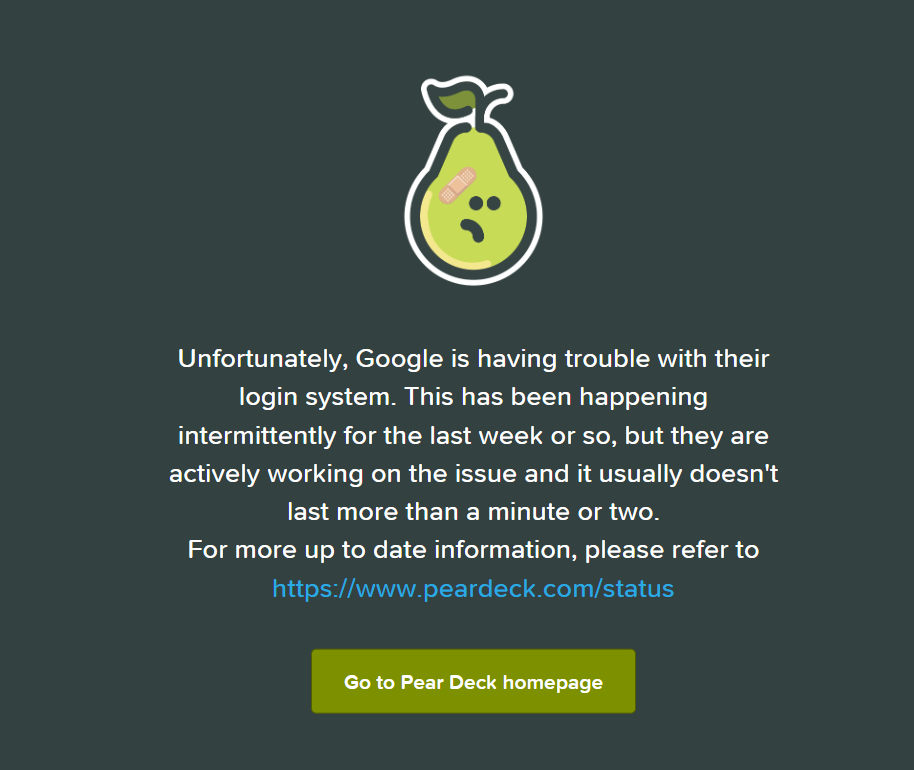
The strange thing is that PearDeck, which we actually pay a subsription for and have a data privacy agreement, has a screen indicating that Google is having issues with Login.
Thanks for the suggestions. Really feeling helpless and at a loss.
Options
- Mark as New
- Bookmark
- Subscribe
- Mute
- Subscribe to RSS Feed
- Permalink
- Report Inappropriate Content
09-13-2023 03:22 AM
Adding to my own post. Screencastify is now added to our list.
KnowBe4 seems to think that our admin panel seems to be blocking valid oauth tokens. Not sure exactly what this means but it is awful to be in education and not allow people to login to verified applications that we've paid subscriptions for because there is no other way to login other than with Google.
Options
- Mark as New
- Bookmark
- Subscribe
- Mute
- Subscribe to RSS Feed
- Permalink
- Report Inappropriate Content
09-13-2023 03:25 AM
For debugging purposes, have you removed a previously trusted client_id and then re-added it again?
Obviously with some time in between, so the system recognises the change before trusting it again.
--
https://wheretofind.me/@NoSubstitute
https://wheretofind.me/@NoSubstitute
Options
- Mark as New
- Bookmark
- Subscribe
- Mute
- Subscribe to RSS Feed
- Permalink
- Report Inappropriate Content
01-02-2024 06:50 AM
The solution to this was being certain that context-awareness settings were consistent for every allowed app. Many of them needed to call up something outside the US, and we didn't allow logins outside the US. Thus, the apps were being blocked.
Reply
Options
- Mark as New
- Bookmark
- Subscribe
- Mute
- Subscribe to RSS Feed
- Permalink
- Report Inappropriate Content
01-03-2024 04:46 AM
Ah, that's a great find. Thanks for updating us.
--
https://wheretofind.me/@NoSubstitute
https://wheretofind.me/@NoSubstitute

Subscribe
Related Content
- U.S. Feedback Request for Google Research in Peer-Peer Topics
- North America IT Admins Feedback Request in Peer-Peer Topics
- Google Earth Project in Peer-Peer Topics
- Manage access to services that aren't controlled individually - PER OU!? in Peer-Peer Topics
- Testimonial Use Case: Gemini as a coding co-pilot in Peer-Peer Topics
