Google Knowledge Bank
Access the Google library of FAQs, templates, guides, and more.
Access the Google library of FAQs, templates, guides, and more.
Navigate effortlessly with platform guides at your fingertips.
Symptoms Students are able to access YouTube despite it being blocked on the Admin Console. Students are able to browse YouTube unrestricted in a signed out state. Diagnosis YouTube enforcement requires the login cookie being present. If allowed ...
The search functionality in the Community enables you to find answers to your questions and find issues that do not have a solution, yet. Being familiar with the functionality will make your searches more efficient and yield more relevant results. I...


If you need additional assistance outside of what's been posted in this Community, use this link to access guides from the Admin Help Center on the following topics: Set up Google Workspace for your organization, migrate your organisation's data, u...
Experience the key features of the paid editions of Google Workspace for Education with these interactive demos. Use this link to access the various demos. Topics include: Create customized views of security reports, Security and Privacy, Advanced ...
Get started using any edition of Google Workspace for Education with training videos that are delivered to your inbox each week to get you started using Google Workspace for Education, free and paid editions. Use this link to register for 8 training...
Learn how to empower original thinking and check student work for authenticity by setting up originality reports for your school. Use this link to access the resources. *To switch the language from this suggested link, navigate to the bottom of th...
Google Classroom Learn how to help users switch over to the all-in-one tool where educators, students, and classes can collaborate. Access specific guides to assist educators with making the transition into Classroom from Canvas Schoology, D2L, an...
Google Meet connects your school community through classes, parent-teacher conferences, professional development, and more. Here are some guides to assist with transitioning users to Google Meet: WebEx to Meet, Zoom to Meet, Teams to Chat spaces, ...
Google Workspace for Education Deep: dive into how-to guides to help your users get started and make the most out of Google Workspace for Education. Help users with assigned licenses make the switch to Google Workspace for Education. Resources includ...
As an administrator, you can view reports and log events in the Google Admin console to review activity in your organization and better understand your school’s usage, engagement, and security posture. Use this link to access the resources. *To sw...
Learn how to optimize your security features so you can pinpoint and resolve performance or security issues from anywhere, at scale. Use this link to access the resources. *To switch the language from this suggested link, navigate to the bottom of...
Usage and Privacy Learn how to manage sensitive data with your users and make and reinforce trust policies for individual users, groups, organizational units, and domains. Use this link to access the resources. *To switch the language from this...
For users to take advantage of and benefit from Google Workspace for Education premium features they must have a license assigned to them. You can assign licenses to individual users, to everyone in an organizational unit, or to everyone in your Go...
This support article covers the following topics: Code of Conduct Making a Post Replying to a Post Editing a Post Deleting a Post Accepted Solutions Protect Your Privacy Posts Marked as Spam Code of Conduct Before posting in the community, plea...
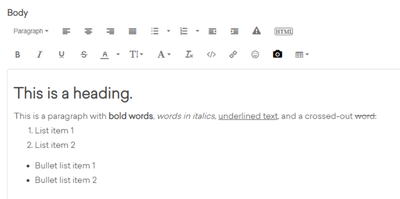
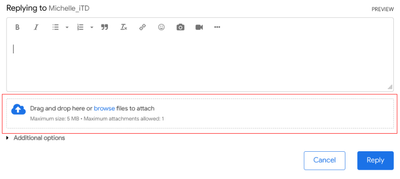
This Support Article Covers the Following Topics: Expanding the Toolbar Preview Text Formatting Table of Contents Emoticons Inserting and Editing Media Images Videos Tables Code samples The Article Body toolbar allows formatting posts in a variety...



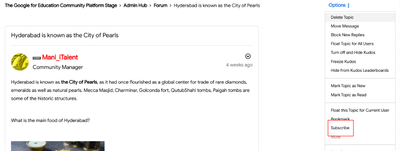
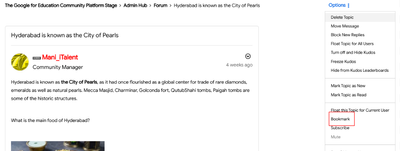
This Support Article Covers the Following Topics: Subscribing to a Topic or Board Bookmarks A Note on Following Friends on Mobile Subscribing to a Label Managing Your Subscriptions Subscriptions ensure you receive automated messages about the mo...


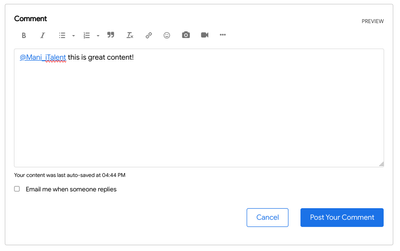
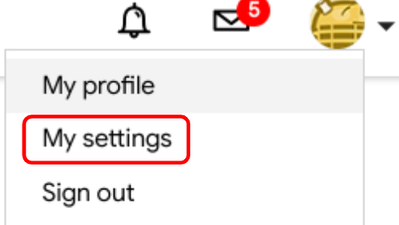
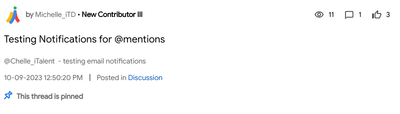
@mentions allow users to call out other community members within a post. With User Mentions, users can call out specific users in their posts and invite them to join the conversation. You might @mention a user when you know they can answer a quest...

In this support article, we cover the following topics: Community Ranks Seeing Someone's Rank Community Ranks Ranks are a terrific way for you to see a community member's role and activity and to celebrate your own accomplishments. Community ra...

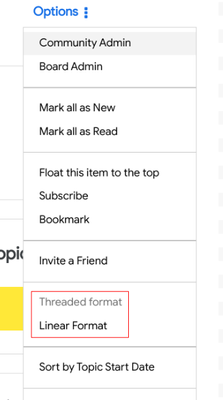
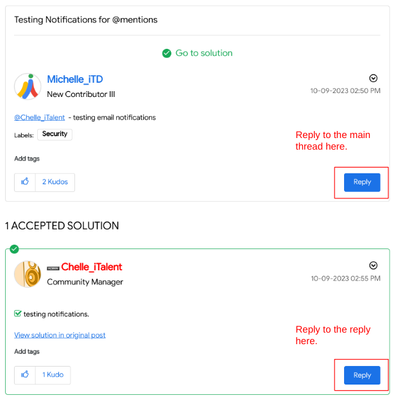
This support article covers the following topics: Threaded Topic DisplayReplying to a Threaded TopicReply to a replyLoad more replies Inline replies and the threaded display style help organize replies, making each reply's context more visually cle...
The following support article will discuss how to translate posts on The Google for Education Community Platform. Translate using ChromeTranslate Using the Automatic TranslatorAdditional Translation Help Translate using Chrome To translate a page u...



When looking at individual community boards, you may notice certain icons, located just under the post in the activity feed: Community icons have a variety of meanings: Icon ImageFunctionPadlock icon: Highlights topics a moderator or admin has ...


Google Workspace Admin help is a support area for IT Admins. Find answers to the most FAQ about the Google Workspace sign-up process, access set-up information, and obtain on-going training opportunities in the form of webinars and videos. https...
Google for Education is excited to announce the launch of the K12 Cybersecurity Guidebook (goo.gle/k12-cyber-guide), a free, external-friendly resource for K-12 institutions globally to help them improve their security posture and better protect thei...
Engage in courses to grow and succeed for K-12 and higher education. These courses are designed to support IT Admins in 3 areas: Fundamentals, Premium, and Advanced Premium for IT Admin https://skillshop.exceedlms.com/student/catalog/list?categor...
Google partners are experts in deploying and managing Google products and they will help you create an implementation plan that meets your needs. https://edu.google.com/intl/ALL_us/get-started/setup-products/
Learn more about how to track new and upcoming Google releases. https://support.google.com/a/table/7539891?hl=en
Google Workspace has updated features and enhancements that you will be excited about! Click here to learn more about it https://workspaceupdates.googleblog.com/
Google Workspace Release Calendar will provide visibility to you regarding new updates, training resources, blogs and more. https://workspace.google.com/whatsnew/
Google Workspace allows you to expand your knowledge on your school’s edition that includes Google Workspace for Education with these additional training videos, guides, and resources. https://edu.google.com/intl/ALL_us/get-started/paid-workspace-...


