This website uses Cookies. Click Accept to agree to our website's cookie use as described in our Privacy Policy. Click Preferences to customize your cookie settings.

Options
- Subscribe to RSS Feed
- Mark Topic as New
- Mark Topic as Read
- Float this Topic for Current User
- Bookmark
- Subscribe
- Mute
- Printer Friendly Page
3D Interactive Hand Tracking

Options
- Mark as New
- Bookmark
- Subscribe
- Mute
- Subscribe to RSS Feed
- Permalink
- Report Inappropriate Content
2 weeks ago
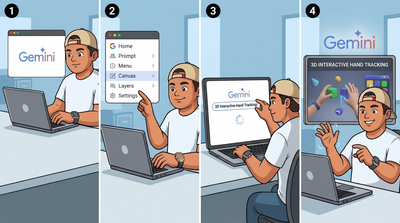
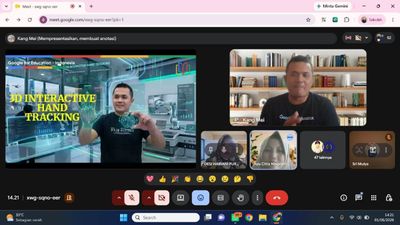
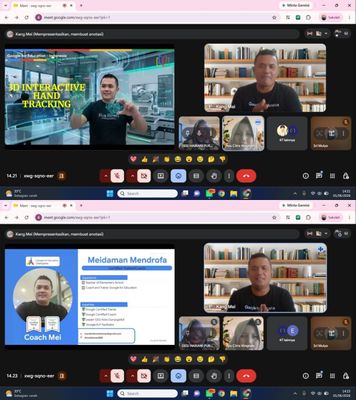
3D Interactive Hand Tracking is an educational tool that educators can utilize in the classroom. It allows for interaction without physically touching the display, relying instead on hand movements detected by the device's camera sensor. 3D Interactive Hand Tracking applications can be designed using Gemini AI's Canvas feature. Below is the prompt for 3D Interactive Hand Tracking "
Create a single-page interactive web application using Three.js and MediaPipe Hands. The main goal is to manipulate a 3D Cube using real-time hand movements via a webcam.
Here are the technical specifications and interactions:
3D Setup (Cube Object):
Create a Three.js scene with even lighting.
Add a BoxGeometry (Cube) object in the center of the scene.
Apply different colors to the six faces of the cube (e.g., red, blue, green, yellow, orange, purple) so the orientation and rotation of the cube are very clear.
Hand Tracking: Use MediaPipe to detect hand landmarks from the webcam feed. Convert the 2D camera coordinates into 3D space rotation and scale.
Gestures & Interactions:
Rotation (Open Palm): If the hand is open, use the coordinates of the palm center to rotate the cube vertically and horizontally.
Scale/Zoom (Pinch): Calculate the distance between the thumb tip and the index finger tip. Use this distance to scale up or scale down the size of the cube.
Wireframe Mode (Thumbs Up): If a "thumbs up" gesture is detected, toggle the cube's material to wireframe: true (only showing the edges/lines of the cube). Perform the same gesture to revert it to a solid mode. Provide a 1-second delay (debounce) to prevent rapid flickering.
UI/UX:
Display a small webcam feed (picture-in-picture) in the bottom right corner with an overlay of the detected hand skeleton.
Add a text panel at the top of the screen containing the instructions: "Open Hand: Rotate | Pinch: Zoom | Thumbs Up: Toggle Wireframe/Solid".
Code Structure: Provide the HTML, CSS, and JS code in a single file (or a modular structure if using React/Vue) that is ready to run. Ensure camera permissions are handled correctly. Add 3D text labels at each vertex of the cube using the letters A, B, C, D, E, F, G, H to represent the naming of the cube's corners".

Topics:
- Topics:
-
Gemini
0 REPLIES 0

Subscribe
